

Enterprise execution and accountability
Every commitment. Accounted for.
Bring projects, processes, approvals and everyday operations into one system. Make ownership clear, execution visible and completion provable.
14-day free trial, no card needed. See how it works
Built for the teams that run
- Manufacturing
- Facilities
- Pharmaceuticals
- Construction
- Logistics
- Retail
- Hospitality
- Utilities
- Inspections
- Audits
- Maintenance
- Field service
The product
One system for the work and its proof
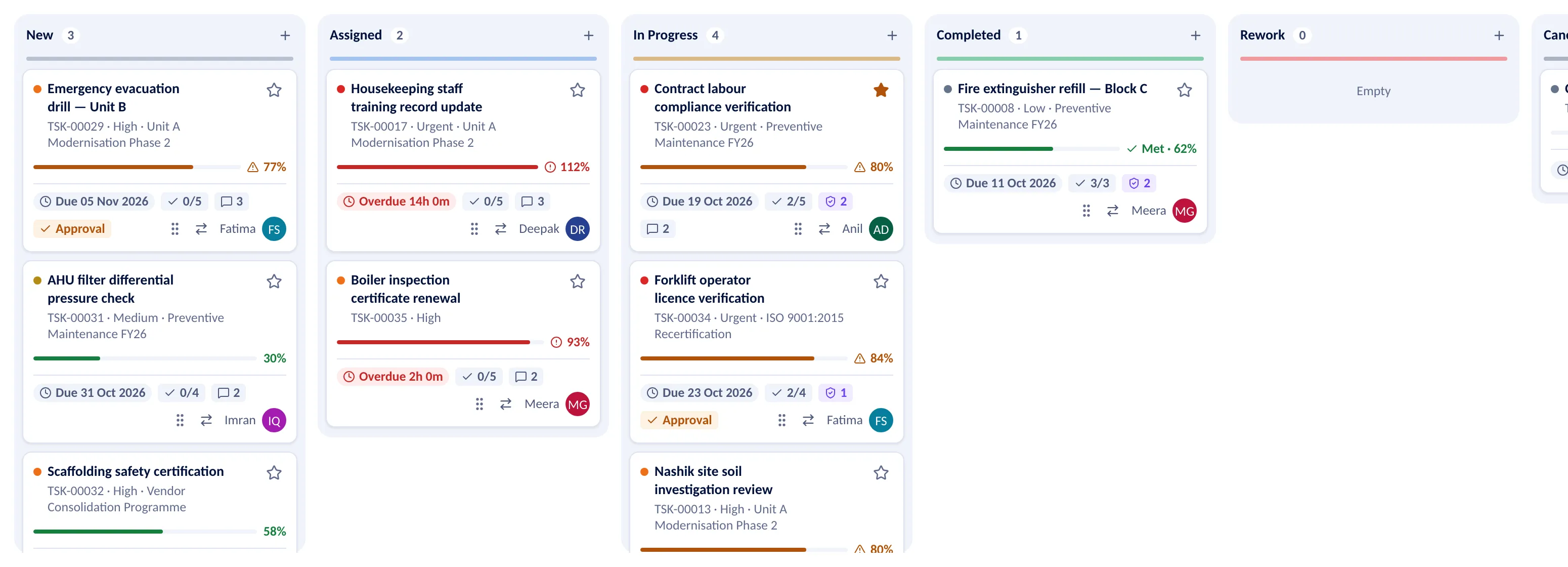
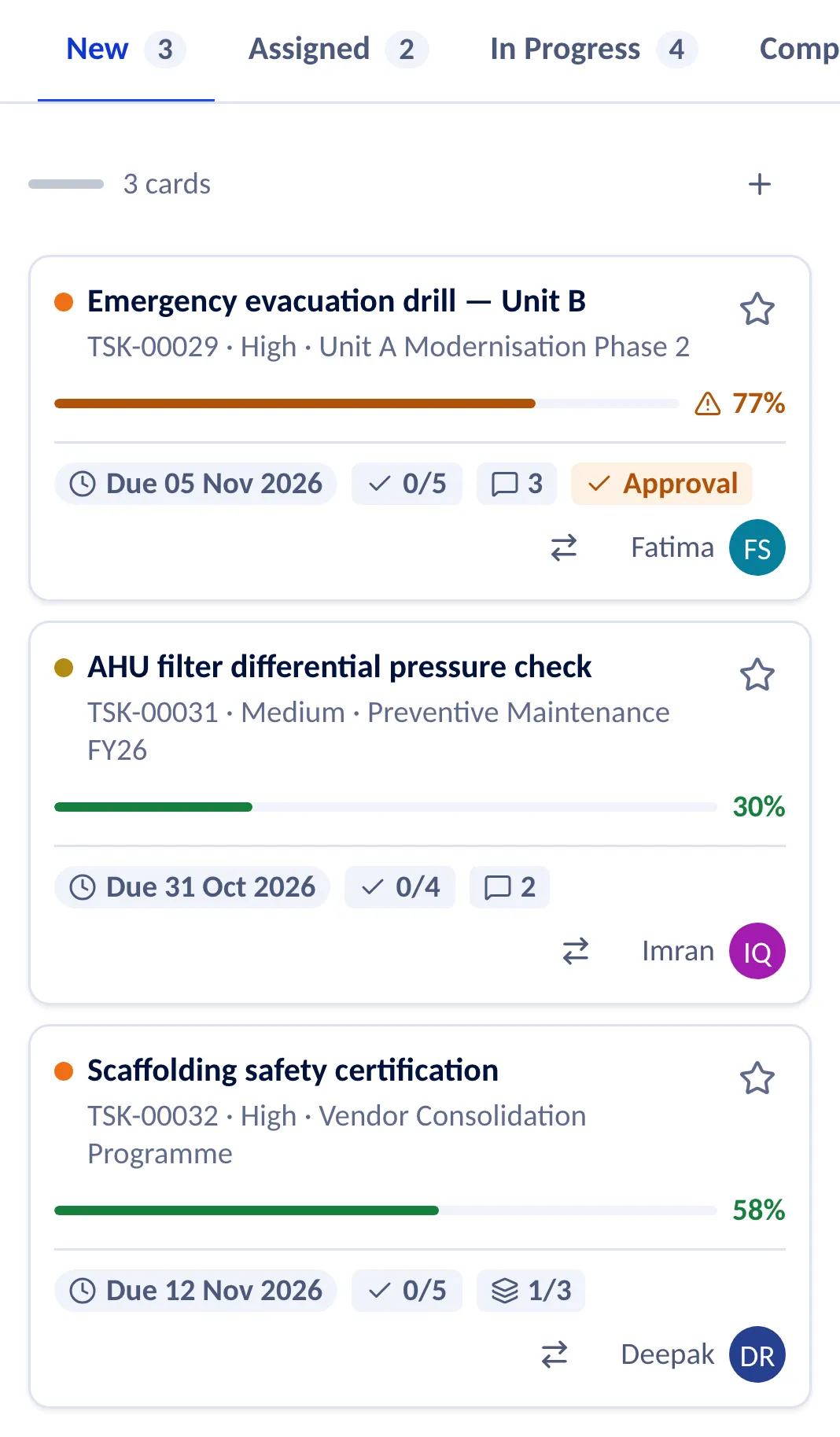
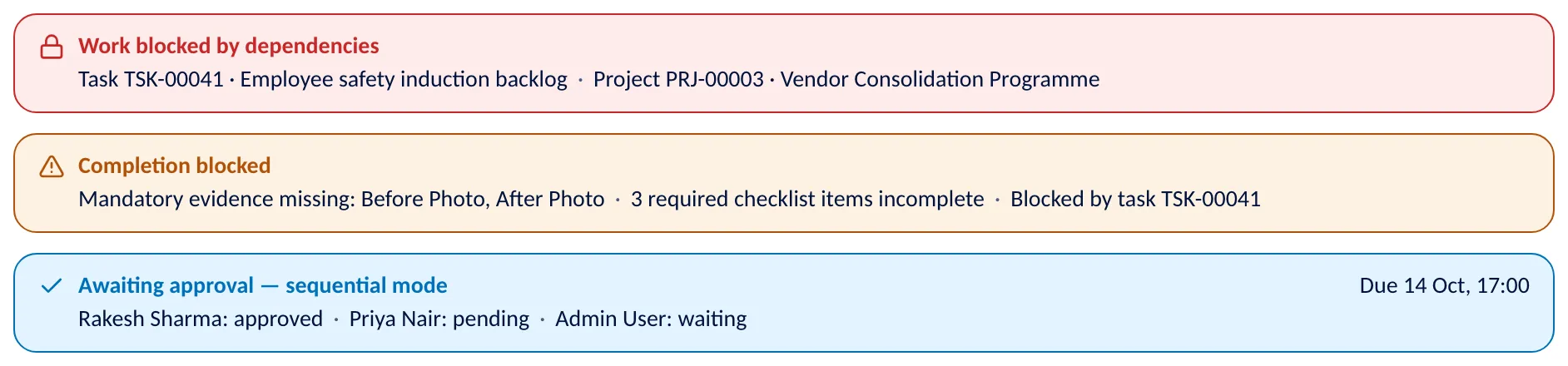
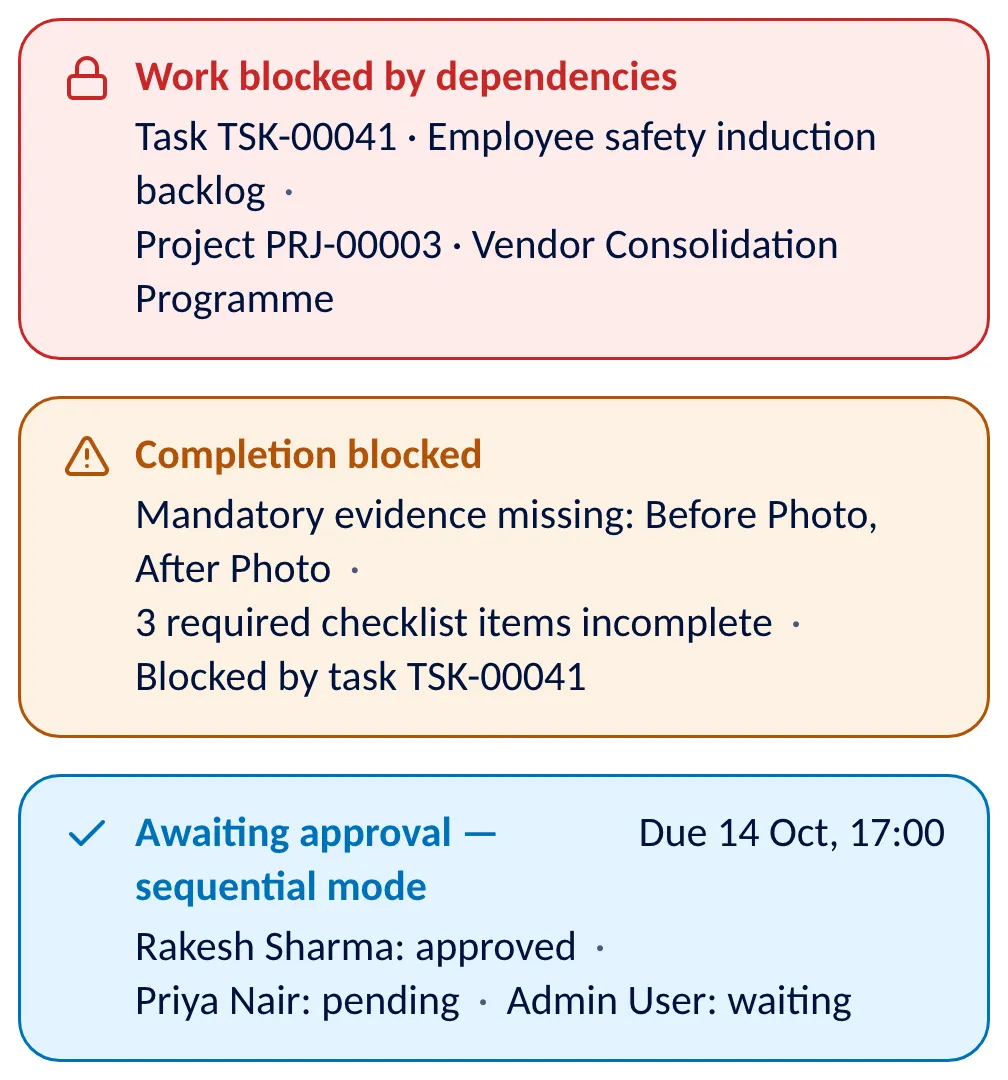
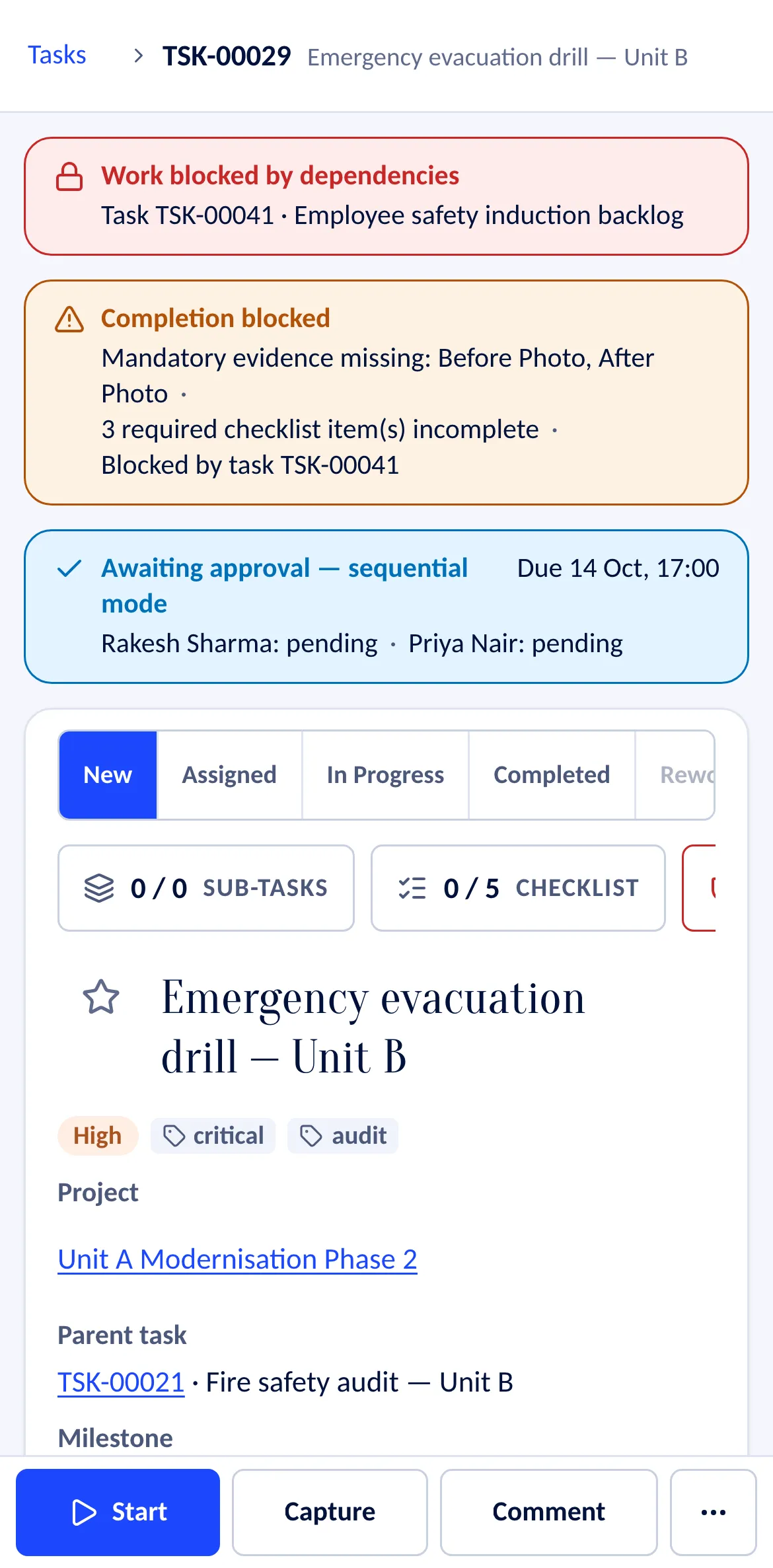
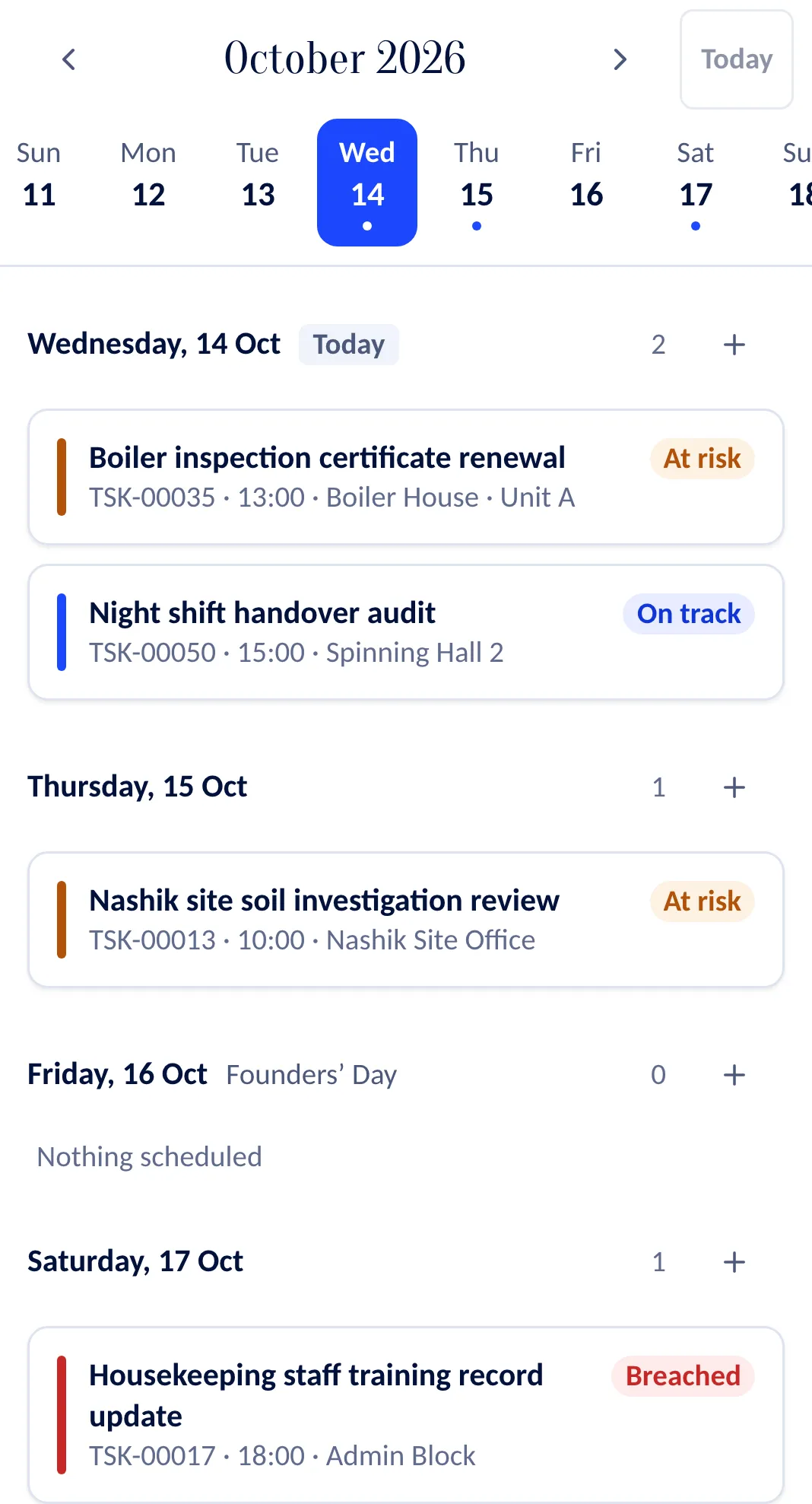
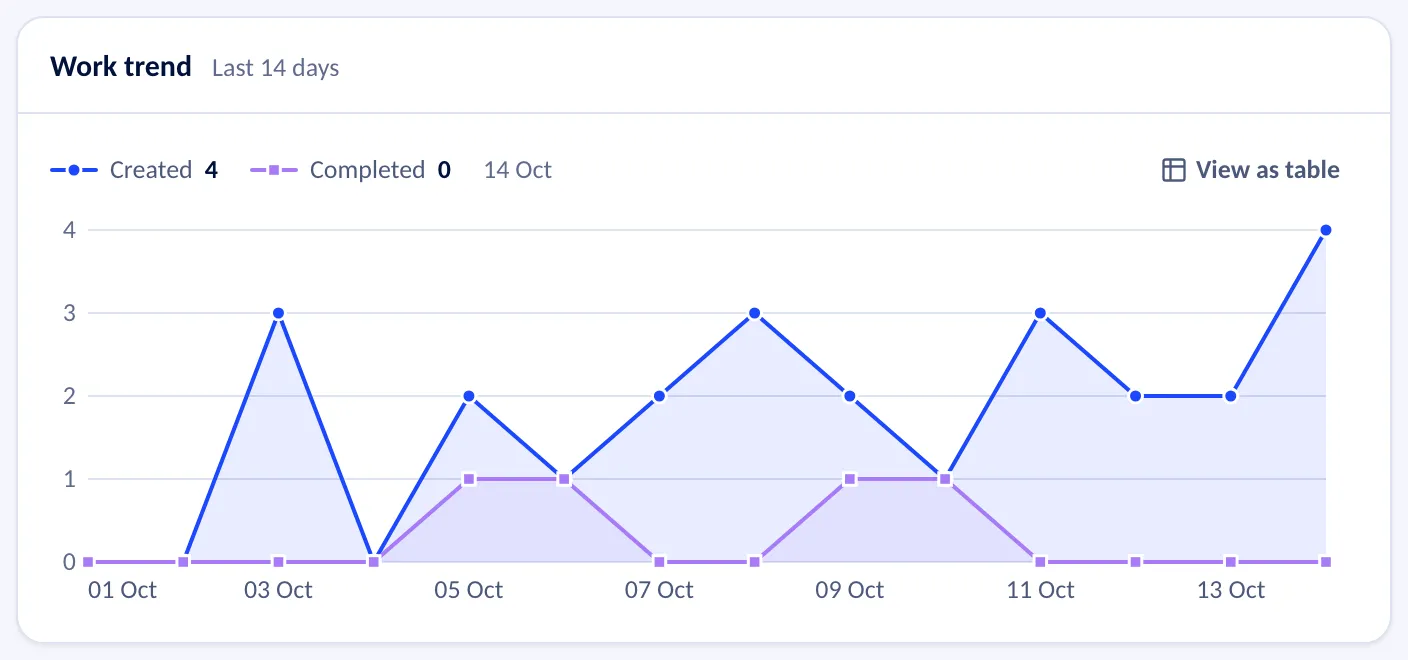
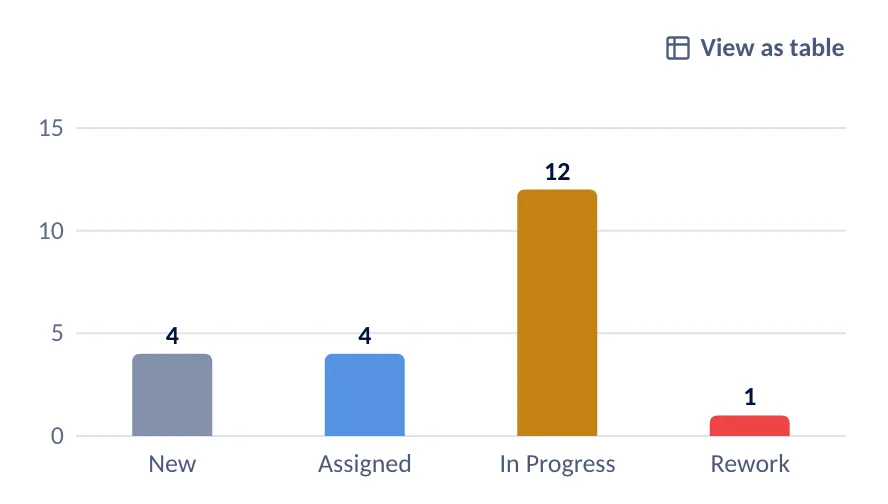
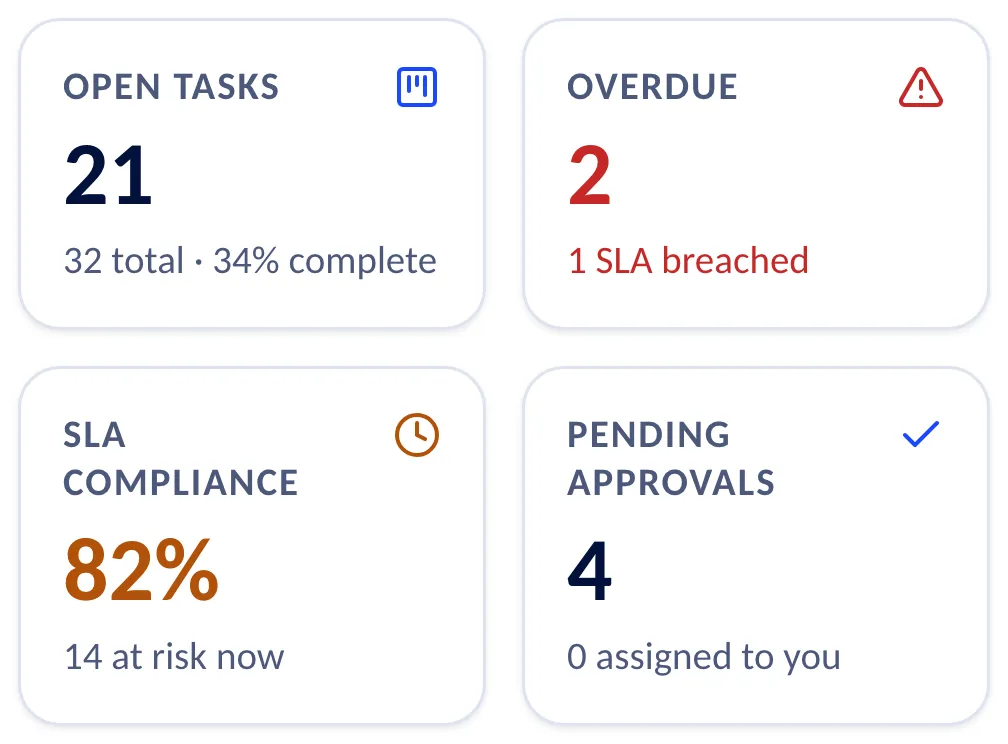
Plan it, run it, prove it and approve it. Every picture here is a screen of WorkVigil.
Work
- Projects
- Kanban and list
- Gantt
- Sub-tasks
Approvals
- Approval matrix
- Sequential or together
- Reasons on rejection
Evidence
- Photos and readings
- Signatures
- Locations
- Mandatory before close
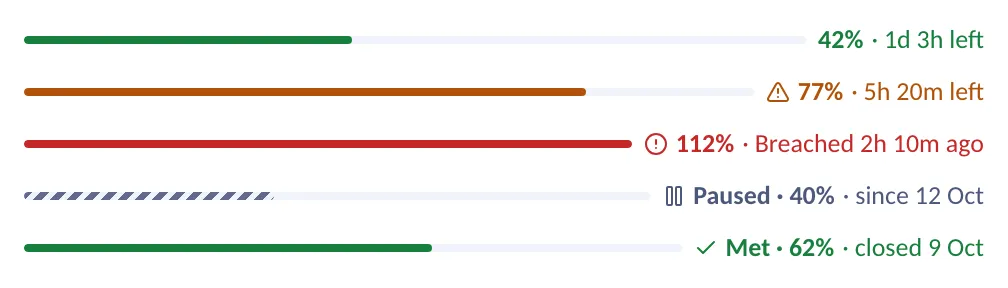
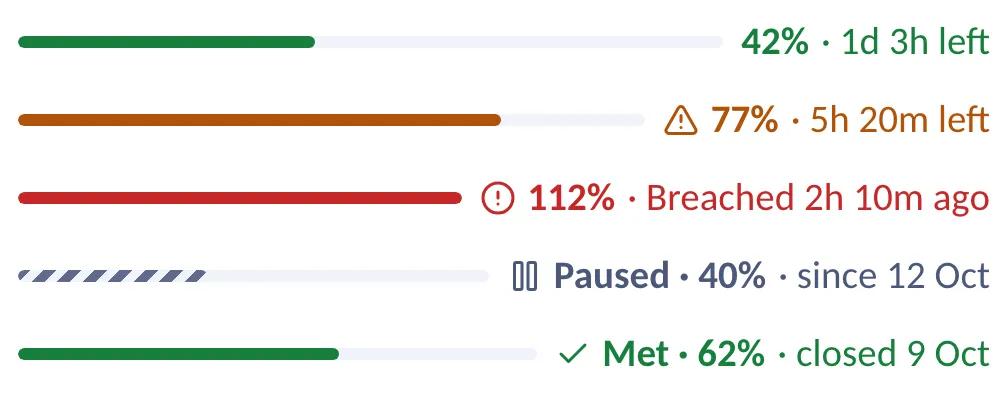
SLA
- Clocks per task
- At risk and breached
- Escalation levels
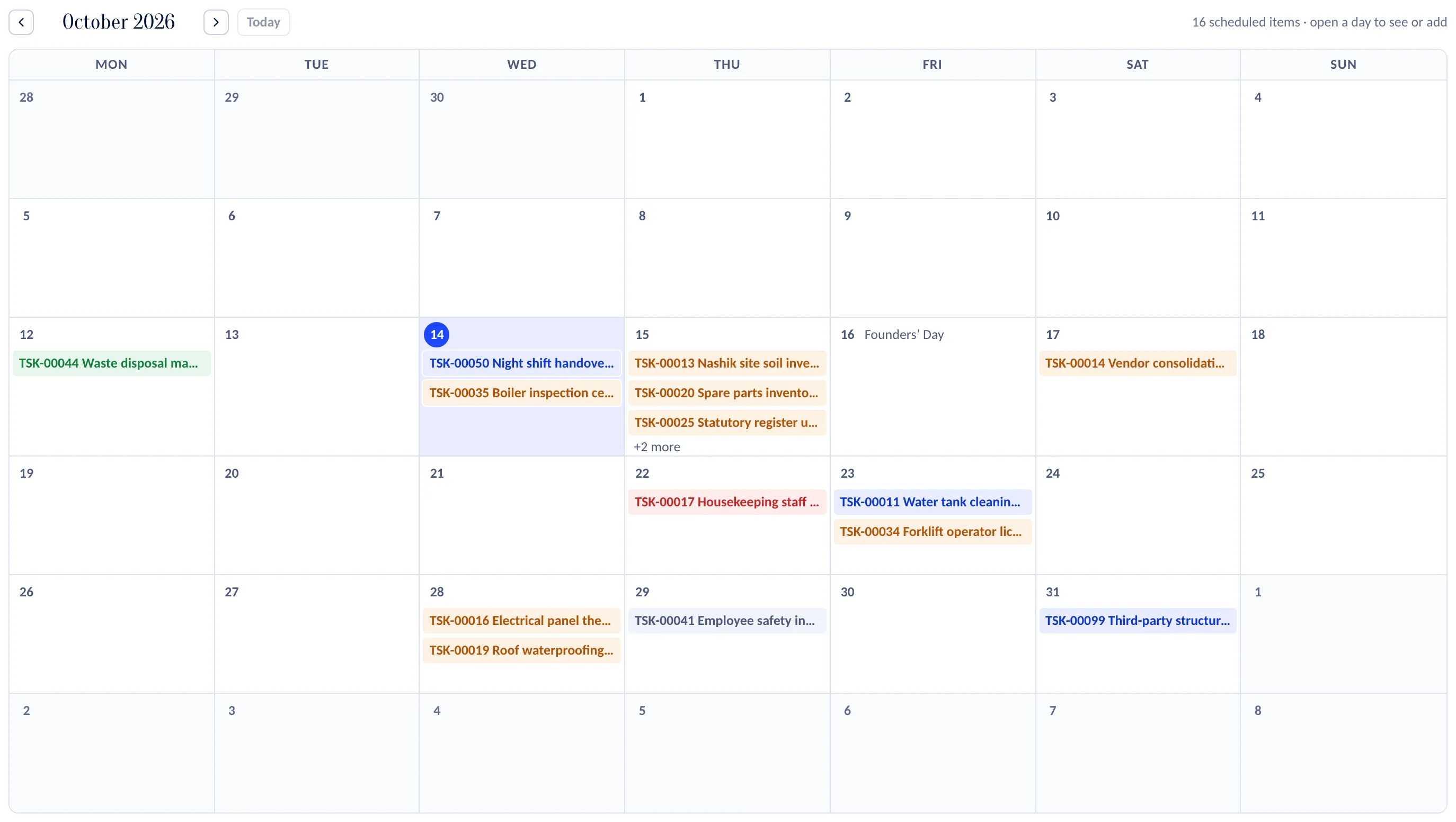
Recurring work
- Rules on a schedule
- Calendar
- Assigned on creation
Analytics
- KPI tiles
- Trends
- Open by stage
- Per company

The execution gap
Assigning work is easy. Getting it done is the challenge.
A project slips, an approval waits, a vendor misses a date, and a task is reported complete with no evidence to show for it. The gap is between what an organisation commits to and what it delivers.
Scattered updates
Work spread across spreadsheets, email and messages.
Unclear ownership
Responsibilities and deadlines are hard to follow.
Manual chasing
Managers ask for status instead of acting on it.
Unverified closure
Work is reported complete without the evidence.
WorkVigil closes that gap: commitments, owners, deadlines, evidence and approvals in one place.

How it works
Work should never disappear between assignment and completion
Every task follows the same six steps, and each step leaves a record the next one relies on.
Define the expected result, the deadline and what completion requires: checklist items, evidence and approval.
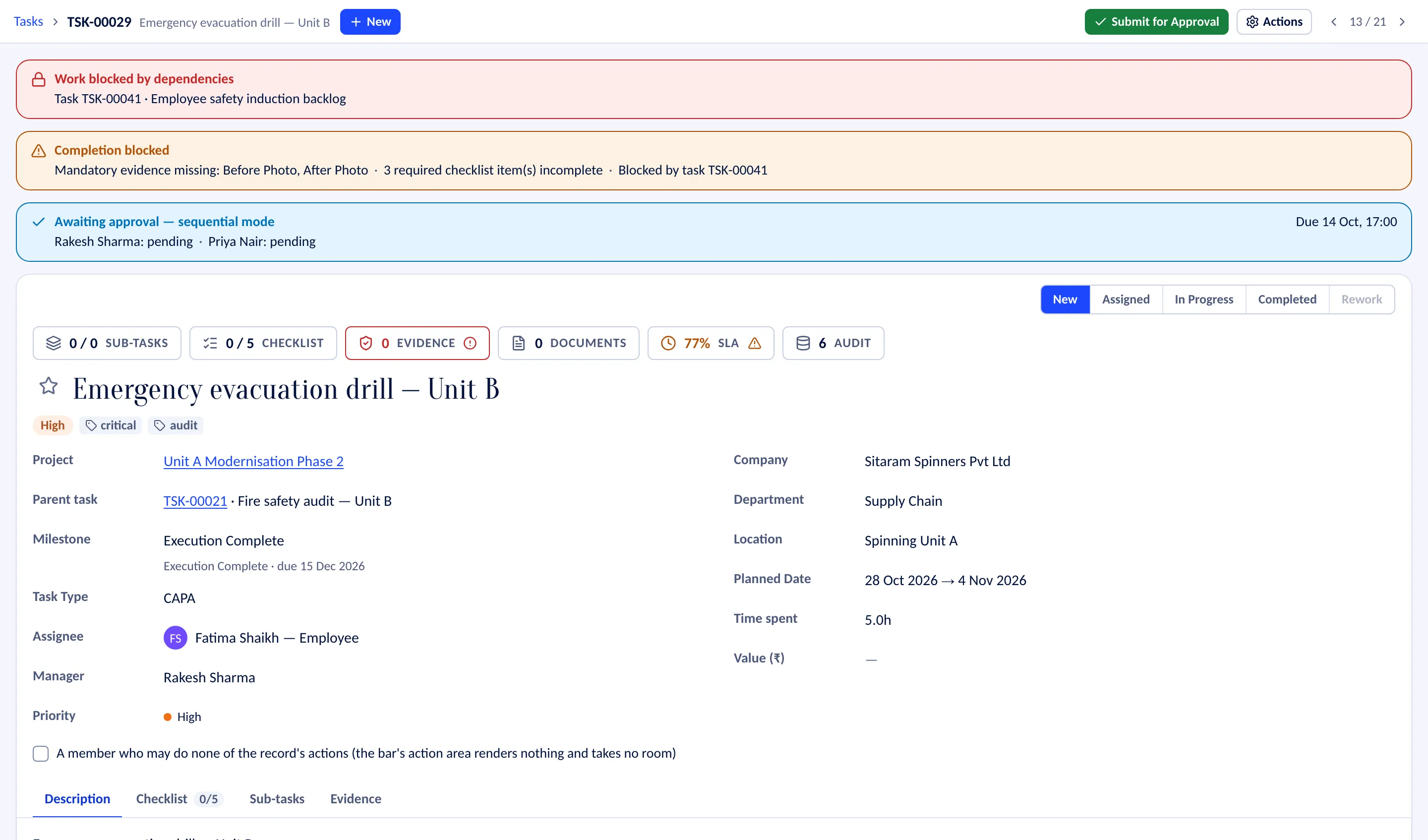
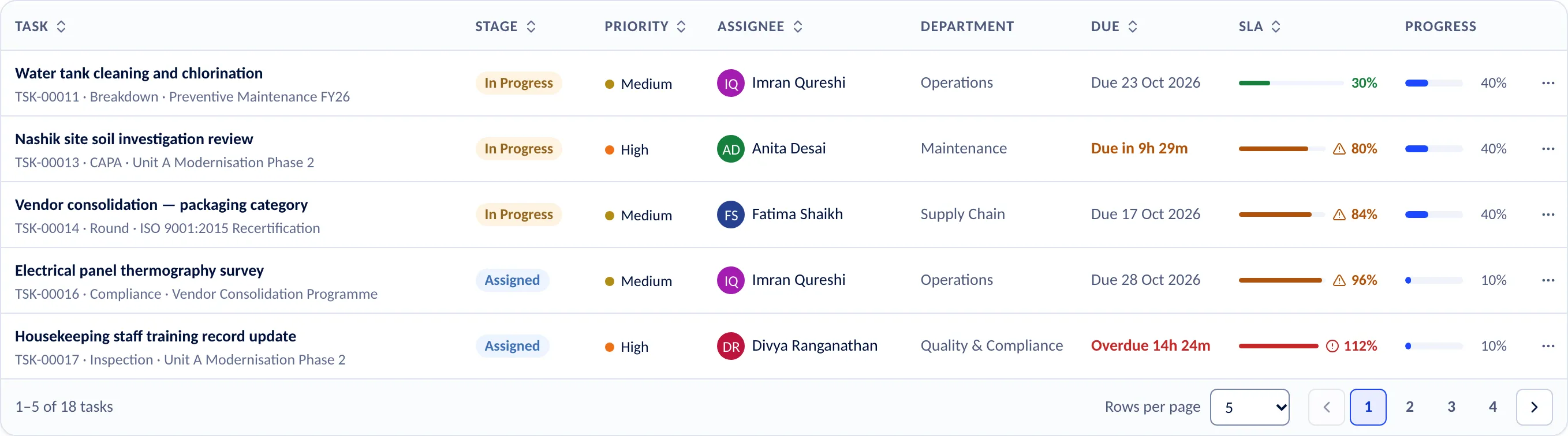
Make clear who is accountable, who contributes and who approves. The board shows every owner.
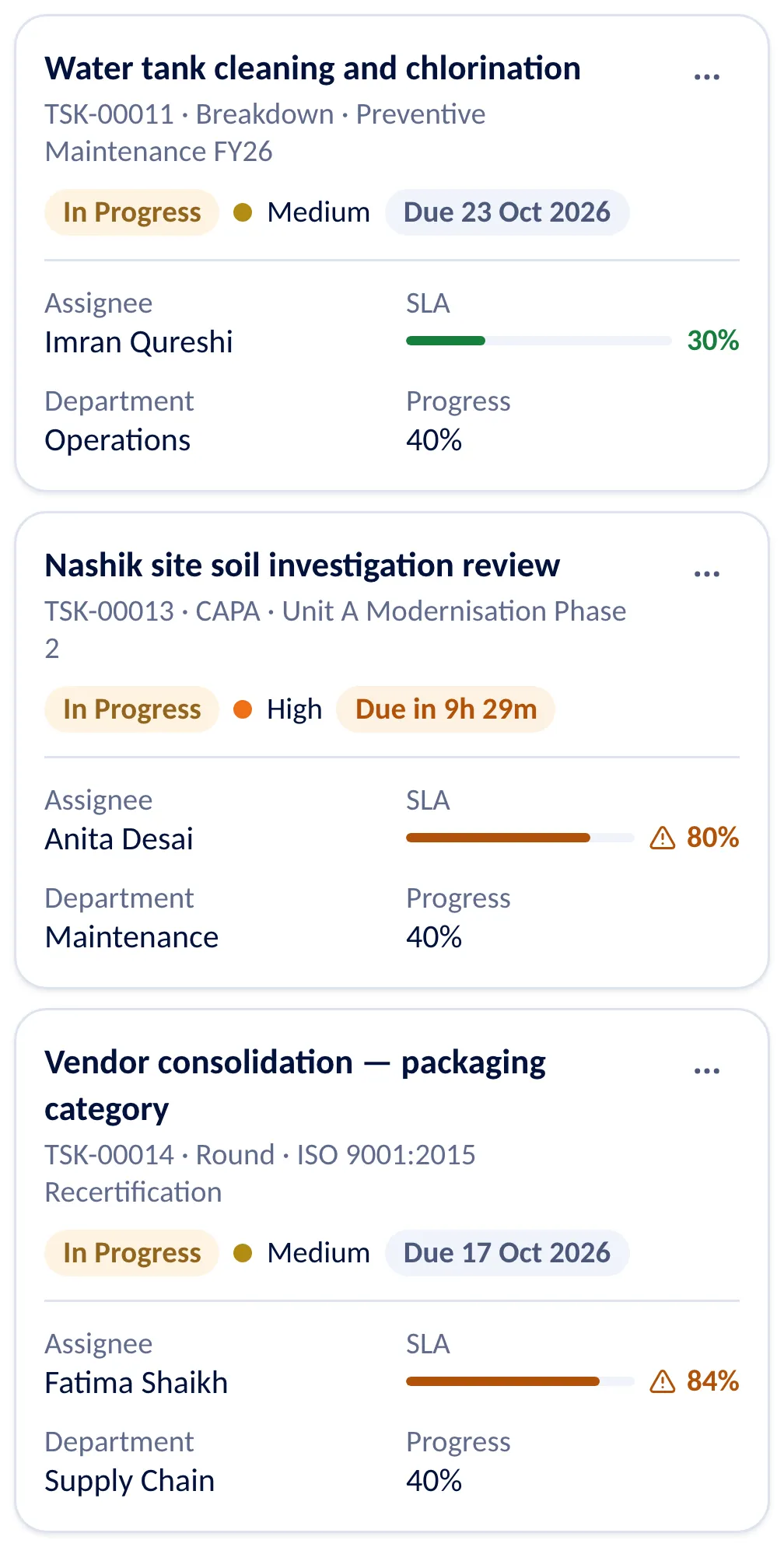
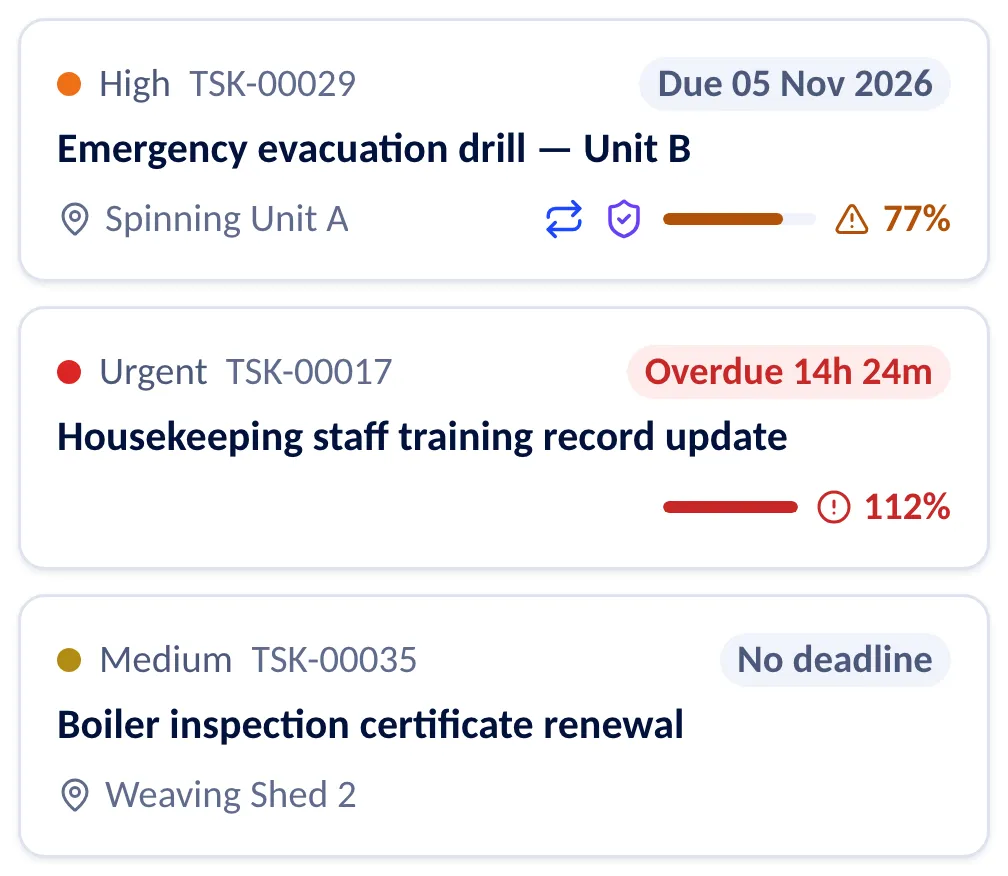
Follow the required steps, manage dependencies and record progress, on the desktop or on the phone.
Capture the evidence where the work happens. A task that needs it cannot be completed without it.
Route the completed work to the approvers your matrix names, one after another or together.
See delays, breached clocks and recurring exceptions, and fix the process behind them.
Management insight
From status reports to decisions
“In progress” is not enough. Managers need to know what is at risk, what is blocking it and who has to act.
- What did we commit to?
- Responsibilities, deadlines, deliverables and expected outcomes.
- What is actually happening?
- Progress, pending actions, approvals and exceptions.
- What needs attention now?
- Overdue commitments, blockers and unresolved dependencies.
- Was it done properly?
- Supporting evidence, completion requirements and approval records.
- Where do we improve?
- Recurring bottlenecks and patterns in execution.
Built to fit
Configured to how your organisation works
Approval rules, SLA policies and events to your other systems, set up once by your administrator. The examples are illustrations of real settings.
approval-matrix-rule.json
{
  "name": "Capital spend above ₹5 lakh",
  "task_type_id": "…capex…",
  "min_amount": 500000,
  "approval_mode": "sequential",
  "decision_sla_minutes": 2880,
  "approvers": [
    { "kind": "task_manager" },
    { "kind": "role", "role_id": "…plant-head…" }
  ],
  "is_active": true
}
sla-policy.json
{
  "name": "Breakdown response",
  "sla_type": "response",
  "duration_minutes": 120,
  "start_trigger": "on_creation",
  "working_hours_only": true,
  "task_type_id": "…breakdown…",
  "is_active": true
}
Task.Completed
POST https://erp.example.com/hooks/workvigil
X-WorkVigil-Signature: sha256=…

{
  "type": "Task.Completed",
  "occurred_at": "2026-10-20T11:42:08Z",
  "resource": { "code": "task", "id": "…" },
  "data": {
    "task_number": "TSK-00029",
    "title": "Emergency evacuation drill",
    "due_at": "2026-10-20T12:30:00Z"
  }
}
Roles and permissions
Nine roles to start from, and your own.
Several companies
Companies, departments and sites in one workspace.
Audit trail
Who changed what and when, kept by the database.
Webhooks
Signed events to your ERP, CRM or data stack.
Notifications
Email and in-app, with each person’s own choices.
Your vocabulary
Stages, task types, priorities and numbering.
Add-ons
Add-ons for enterprise needs
Core work management stays in the subscription. What costs more to run, and what only larger organisations need, is added separately.
Communication
WhatsApp, SMS and other chargeable messaging channels, with transparent usage-based billing. Standard in-app notifications stay in the subscription.
Messaging channels: available on request
AI and automation pack
Advanced AI usage, AI-generated summaries, workflow recommendations and high-volume automation execution, with clear usage allowances rather than opaque credits.
Available on request
Integration and API services
Standard connectors can come with the higher tiers; complex ERP, CRM, HRMS, identity or custom-system integrations are delivered as implementation projects.
Webhooks included · integration projects on request
Enterprise governance and deployment
Premium security controls, dedicated environments, custom retention policies, data residency and contracted support, where these capabilities are available.
Available on request
Isolated by the database
Row-level security keeps each workspace apart.
Argon2id passwords
Stored only as hashes nobody can read back.
Encrypted contacts
Email addresses and phone numbers, AES-256-GCM.
Permanent audit trail
Every change, sign-in and export recorded.
Questions
What people ask before they start
Who is WorkVigil for?
Companies and groups whose work is done by many people across teams and sites: operations and plants, maintenance and facilities, compliance and audit teams.
If a task has to be assigned, finished on time, proven and approved by someone else, WorkVigil is built for it.
Can we require proof before a task counts as done?
Yes. A task can require evidence — a photo, a reading, a signature, a location — and cannot be completed until it is there. A task can also require approval from the approvers your matrix names.
The built-in task types Inspection, Audit and Compliance ask for evidence from the start; you can change that for each type.
Can one workspace hold several companies?
Yes. A workspace is one customer: a single company, or a group that runs several companies in it. Companies, departments and locations are set up inside it, and people are given roles and places in them.
A person works in the companies they are placed in and can switch the company they are looking at.
Is there anything to install?
No. WorkVigil is a web application. It opens at the same address on a desktop, a tablet and a phone, and each screen is laid out for the device in hand.
How does the free trial work?
Every new workspace starts with a 14-day trial of the Business plan, so you see WorkVigil with everything switched on. You sign up with your work email, name your company, and the workspace opens with you as its administrator. No card is asked for.
It is a real workspace, not a demonstration: invite your team and run your own tasks and projects. What you create stays when you choose a plan.
What happens to our data when the trial ends?
Nothing is deleted. If no plan has been chosen when the 14 days are over, the workspace becomes read-only: your people can still sign in and read tasks, projects, evidence and documents, but nothing can be added or changed.
A banner says so, with a button for the administrator to choose a plan. Once a plan is chosen the workspace can be worked in again.
Something else? Ask us.
Stop chasing work. Start managing execution.
See how WorkVigil brings your projects, processes and everyday commitments into one accountable system.
14-day free trial, no card needed.